
Creating an organized and inspiring home workspace can significantly improve your productivity and overall work experience. Whether you are working remotely, freelancing, or simply need a dedicated spot for personal projects, an efficient setup makes all the difference. In this post, we explore creative ways to organize your home workspace so you can stay focused, motivated, and comfortable.
Why Organizing Your Workspace Matters
A well-organized workspace helps reduce distractions and stress. Clutter can interfere with your ability to concentrate, slow you down, and even affect your mood. By setting up an orderly and personalized area, you can create mental clarity and develop routines that support your work goals.
Step 1: Choose the Right Spot
Begin by selecting the ideal location in your home for your workspace. Consider the following:
– Natural light: Aim for an area with good sunlight to help keep you alert.
– Quietness: Select a place away from noisy or high traffic zones.
– Comfort: Ensure you have enough room for a desk and chair with good ergonomics.
Even a corner of a living room or a spare closet can be transformed into a productive nook with some creativity.
Step 2: Declutter and Clean
Start fresh by clearing everything off your desk and shelves. Sort through your items and remove anything that isn’t useful or inspiring. Organize paperwork into files and discard junk. A clean surface invites creativity and focus.
Step 3: Maximize Storage Solutions
Smart storage is key to maintaining order. Here are some creative ideas:
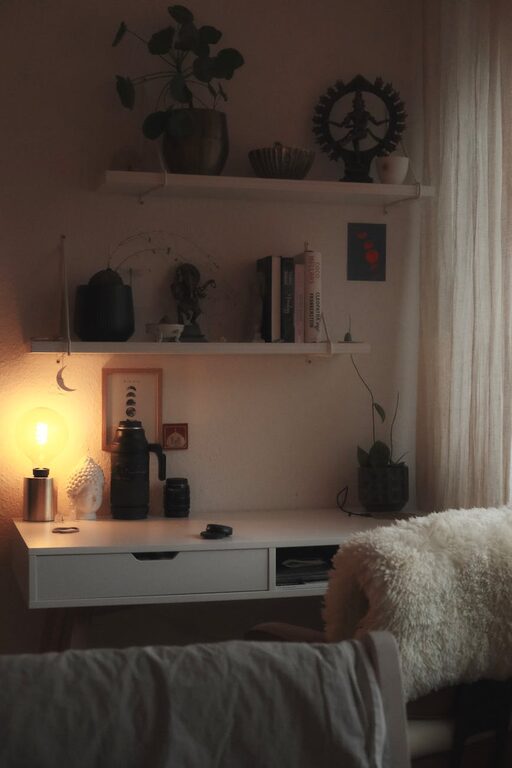
– Vertical Shelves: Utilize wall space by installing floating shelves or pegboards to hold books, décor, or supplies.
– Drawer Organizers: Use dividers to separate stationery and small items.
– Rolling Carts: Mobile carts can store supplies and move with you as needed.
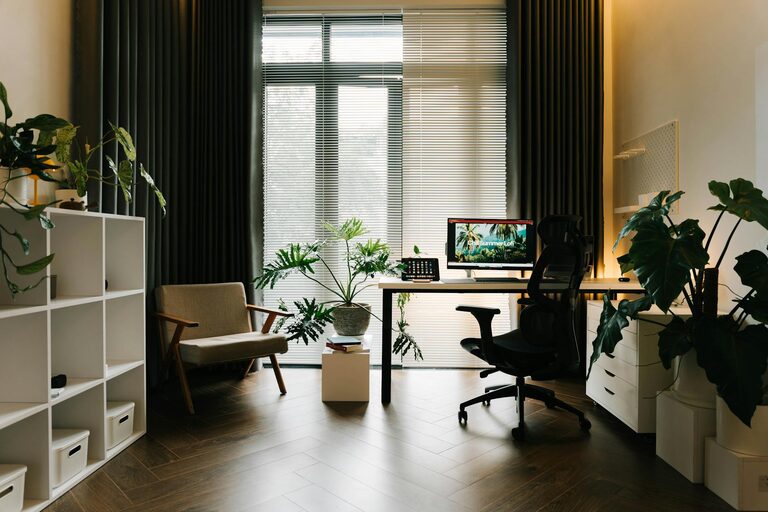
– Bins and Boxes: Label containers for easy identification and keep similar items together.
Using clear containers or color-coded boxes can make finding things effortless.
Step 4: Organize Your Desk Layout
Arrange the items you use most often within arm’s reach to keep your workflow smooth.
– Keep your computer or laptop centered.
– Store daily essentials like pens, notepads, or chargers nearby.
– Use a desk organizer for papers or mail.
– Add a comfortable mousepad and keyboard rest.
Avoid overcrowding your desktop to maintain a clean, spacious feel.
Step 5: Add Personal Touches
Incorporate elements that inspire and motivate you, but avoid clutter:
– A small potted plant can bring freshness and improve air quality.
– Photos, motivational quotes, or artwork that makes you smile.
– A colorful rug or desk mat for visual interest.
– A cozy lamp or adjustable lighting for mood and focus.
These touches make your workspace feel welcoming and uniquely yours.
Step 6: Cable Management
Messy cables can create visual chaos and distraction:
– Use cable clips or ties to bundle cords neatly.
– Employ cable sleeves or under-desk trays to hide wires.
– Label cords to quickly identify what belongs to which device.
Clean cable management not only looks better but also prevents accidental unplugging or damage.
Step 7: Incorporate Functional Tools
Having the right tools on hand supports productivity:
– A whiteboard or corkboard to track ideas, deadlines, and notes.
– A calendar or planner for scheduling.
– Noise-canceling headphones or a small speaker for background music.
– Ergonomic accessories such as a wrist rest, adjustable chair, or standing desk converter.
Ensure your tools are arranged conveniently but don’t overcrowd your space.
Step 8: Create Zones Within Your Workspace
If you have enough space, dividing your area into zones can help you focus on different tasks:
– Work Zone: Desk and computer area for focused tasks.
– Creative Zone: Space for brainstorming, sketching, or planning ideas.
– Storage Zone: Closed or open shelving for supplies and documents.
– Relaxation Zone: A small comfy chair or beanbag for breaks or reading.
Clear boundaries can help you switch gears and maintain balance during your workday.
Step 9: Maintain Your Workspace Daily
Organization is an ongoing process. Spend a few minutes at the end of each day to tidy up your area:
– Put away supplies and documents.
– Sort through mail or papers.
– Wipe down surfaces.
– Plan your workspace setup for the next day.
Regular maintenance today prevents clutter buildup tomorrow.
Bonus Tips for Inspiration and Efficiency
– Use a digital to-do list app to keep your tasks in order.
– Change the layout occasionally to refresh your environment.
– Limit distractions by keeping personal devices out of reach.
– Use natural scents like candles or essential oils for a calming atmosphere.
—
With these creative and practical ways to organize your home workspace, you can create an environment that encourages focus, creativity, and comfort. The key is to design a space that supports your workflow and reflects your personality—making work feel less like a chore and more like a pleasure. Happy organizing!